SkyArtCGS-Card & Graphic Studio Software

Latest Version Available

One-Click Image Setting
& Imposition Designed for
Digital Printers & Photo Studios

Fast Setup πŸ’ Smart LayoutπŸ’  Accurate Printing

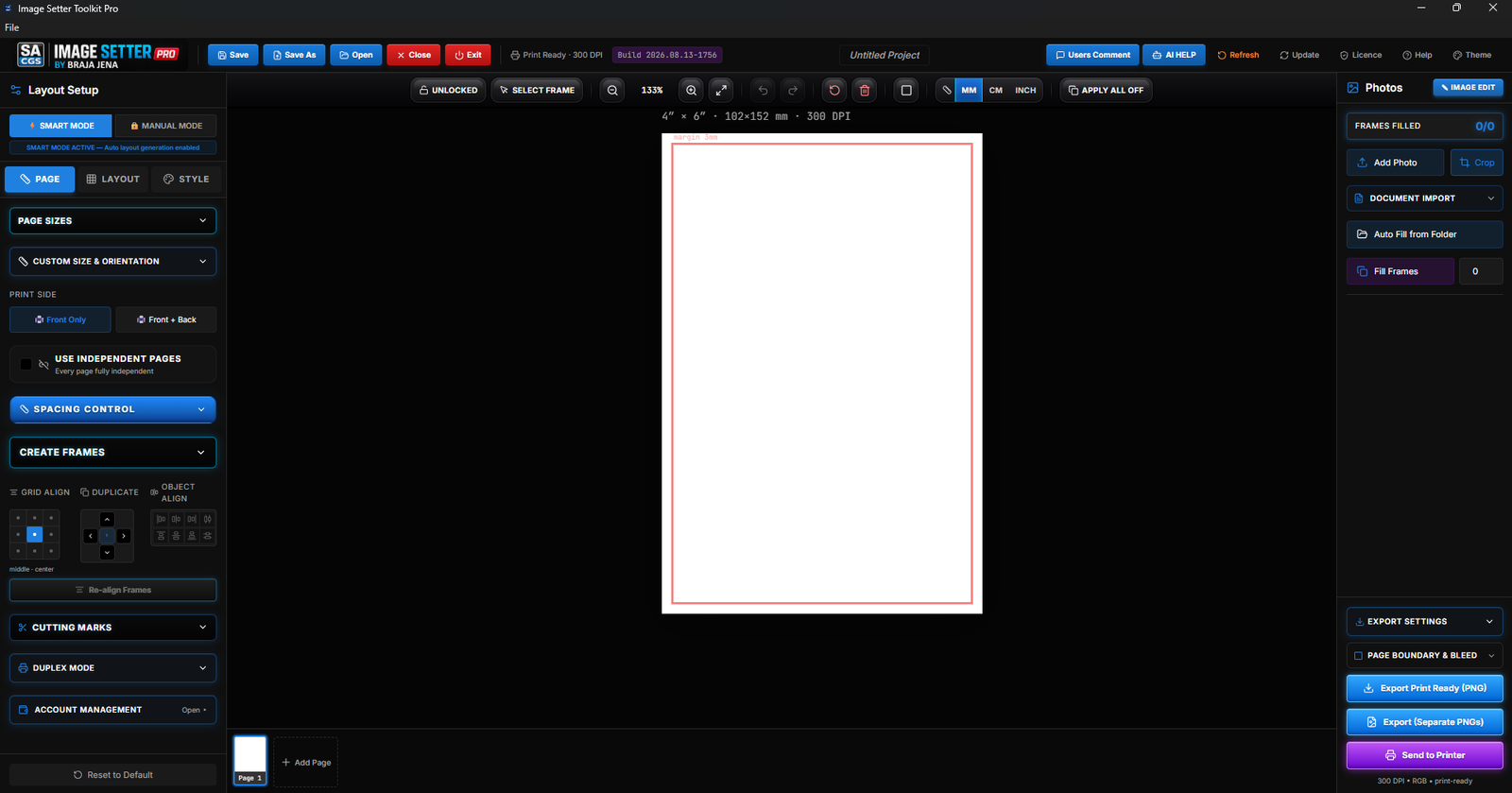
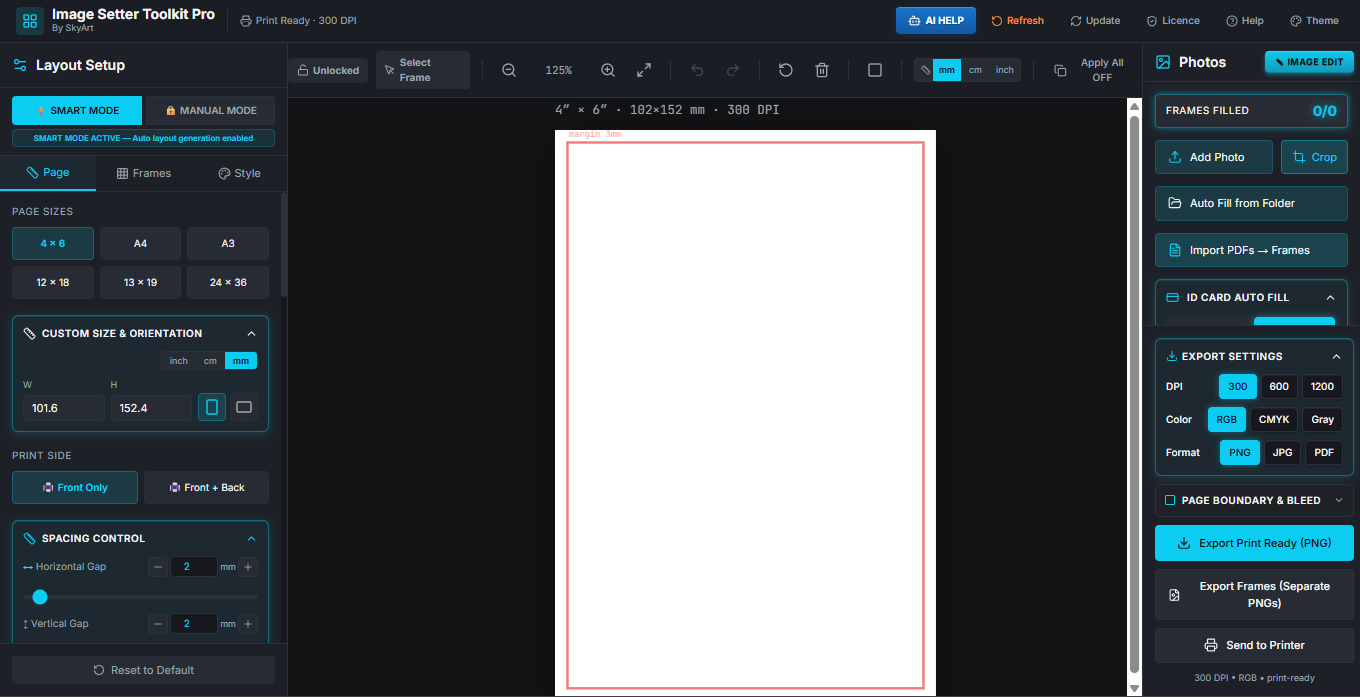
A powerful software built for digital studios, print shops, and ID card creators. Quickly place images on pages, create professional imposition layouts, and export perfect print-ready files in seconds. Save time, reduce manual work, and ensure perfect front-back printing alignment every time.
Click to Active

Start Your Free
30 Days Trial

⬇ Download Free Trial
POWERFUL FEATURES IN SOFTWARE

Key Features

βœ”

One-Click Image to Page Layout

Instantly place images into frames or page layouts with perfect alignment.

βœ”

Automatic ID Card Layout

Generate perfectly aligned ID card sheets for fast and accurate printing.

βœ”

Batch PDF & Image to Sheet

Automatically arrange multiple PDFs or images on a single sheet in one click.

βœ”

Advanced Image Editing Tools

Enhance photos with borders, rounded corners, and color adjustments instantly.

βœ”

Custom Shape Photo Export for ID Cards

Create and export photos in custom shapes with transparent background, perfect for ID cards and printing.

βœ”

Booklet & Brochure Imposition

Create print-ready booklet and brochure layouts automatically.

βœ”

Excel Data Merge Automation

Import Excel data and generate bulk ID cards, certificates, or designs easily.

βœ”

ID Card Auto Extractor

Quickly detect and separate ID cards from sheets.

One-Click Image to Page Setting

Automatic ID Card Layout

Multiple PDF/Image Set to Sheet

Image Editing Tools

Booklet & Brochure Imposition

Any Shape Photo PNG Export

Style Shape Photo Printing

Automatic Excel Data Merge

Flexible Plans for Every Print Sector
Choose the right license plan for your workflow.
Upgrade anytime for more features and longer access.
Discount Countdown
58
MIN
25
S
57
MS
TUTORIAL VIDEOS
Download | SKYART

Download Other Versions

If the latest version is not running properly on your PC, select an older version below.

β€”
β€”
Loading versions...
New Arrival Softwares
Loading...

LICENSE RULES & TRANSFER POLICY

Single Device License

Each license is valid for one computer only. The software cannot be used on multiple systems with the same license at the same time.

License Activation

After purchase, the license will be activated using the device ID / system verification. Internet connection may be required during activation.

License Transfer

License transfer to another computer is allowed only once during the license period.
Conditions: Old system must be deactivated first. Transfer request must be made through support.

Reinstallation

If the same computer is formatted or Windows is reinstalled, the license can be reactivated on the same device.

Misuse Protection

Any attempt to crack, share, or misuse the license may result in license suspension or cancellation without refund.

No Refund Policy

All purchases are non-refundable once the license key has been issued.

Support

Technical support is available during the active license period.

Connect With Us

Reach out to us via WhatsApp, Email, join our WhatsApp group, or check out our YouTube channel for tutorials, tips, and updates!